
Choose Your Language!
Published on March 28, 2022
Choose Your Language!
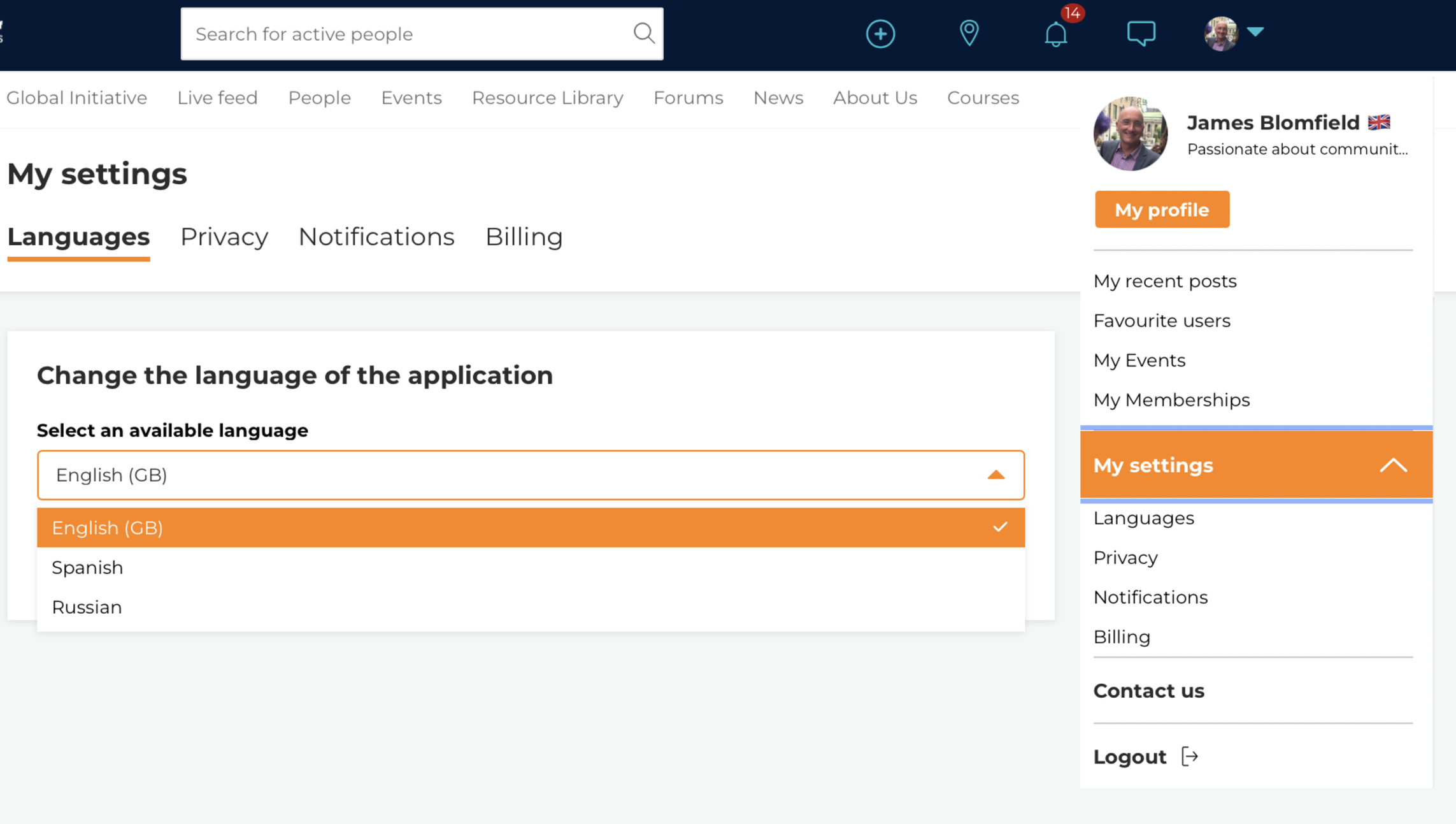
Just in case you didn’t know the IFIP have enabled the language feature on our Hub. You can change public page languages. Currently this includes English, Spanish and Russian.
To change language when you are not logged in - just use the 'Language' dropdown link above the Login button.
To change language when you are logged in, all you have to do is click on your profile photo and choose ‘My Settings’ and then languages. Also this won’t translate articles and posts – it will make the whole site much more accessible. We encourage all of our members to take advantage of this feature in our International Forums of Inclusion Practitioners.